
AI research and writing tool
Turn reading into writing.
Keep the source close.
Read, search, ask and cite your sources beside the draft, so you can keep writing instead of switching tabs.
A thesis? A feature? A grant application? This week's newsletter? If you write it from sources, Scriva is for you.
From source to sentence.
Chat with your PDFs, search them by meaning, and cite as you write.
Bring your sources with you
Upload PDFs and Word files, paste a link, or clip a page. Keep the material for your project together from the start.
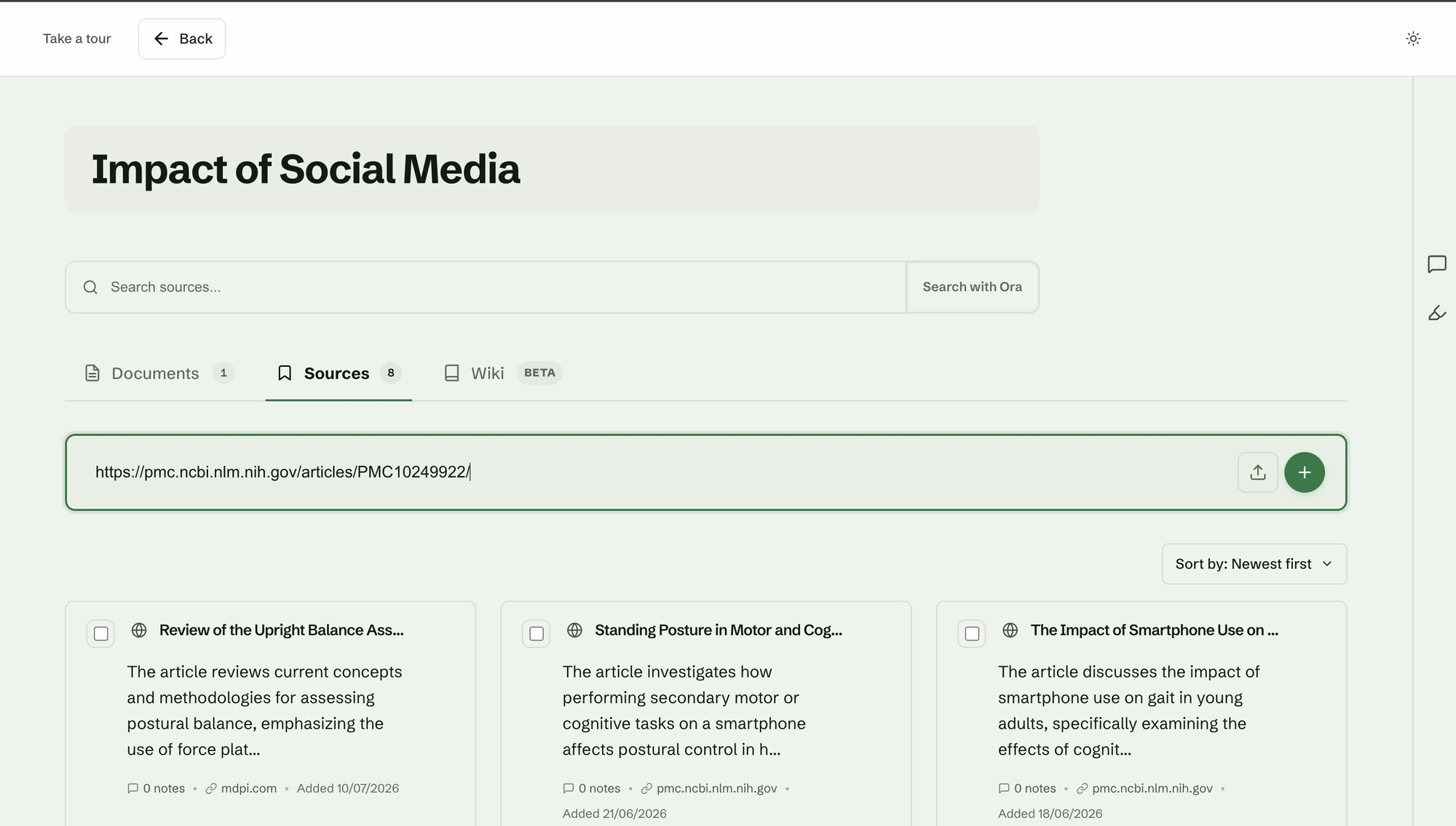
Find what you remember
Describe the idea, not the exact words. Scriva finds the passage you meant, so you do not have to reopen every tab.
Ask Ora, Scriva's AI research assistant
Ask about one paper or your whole project. Ora answers from your material and points to the passage behind each claim.
Write beside the evidence
Keep your draft, sources, notes and highlights in one window. Stay with the idea instead of switching tabs.
Cite as you write
Type @ and choose a source. Scriva adds the inline citation and keeps the bibliography up to date.
Turn a topic into a cited brief
Give Scriva a topic and it brings together a referenced summary from the sources in your project.
You remember the idea, not the wording. Scriva finds the passage behind it, even when you cannot remember the exact words.
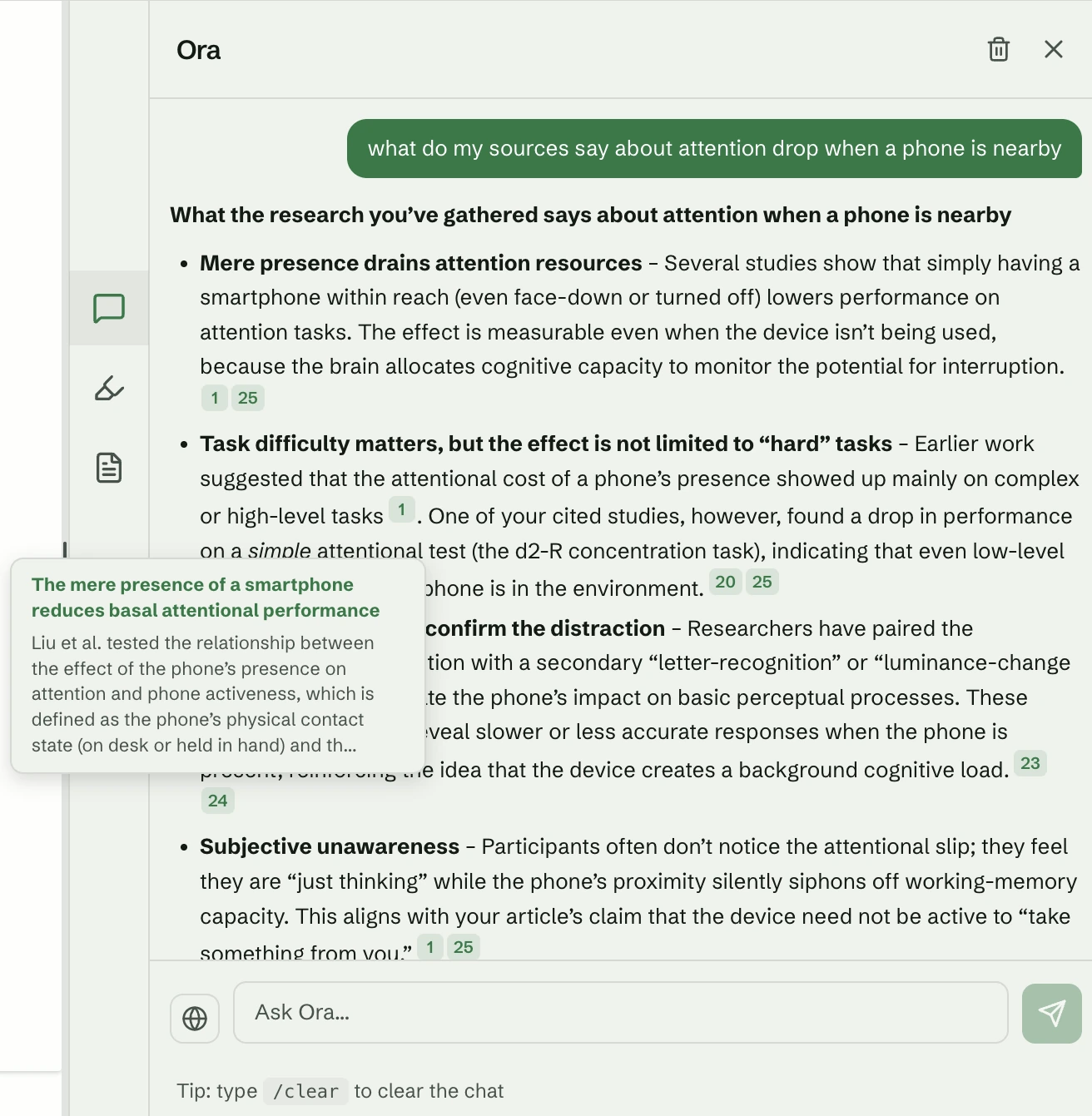
Ask Ora about
what you are reading.
Ora is Scriva's AI research assistant. It reads the sources in your project, so you can ask about one paper or the whole set without opening another tab. Each answer shows where it came from.
If your sources do not cover it, Ora says so.
One place from reading to draft.
Collect your sources, find the passage you need, and write with citations that build the bibliography for you.
Collect
Bring in PDFs, documents, web pages and anything you clip while browsing.
Find
Search by meaning, highlight what matters, and ask Ora what your sources actually say.
Write
Draft with your evidence beside you. Type @ to cite, and let the reference list build itself.
Questions, answered.
What is Scriva?
Scriva is an AI research and writing tool. You bring in your sources as PDFs, Word files or web pages, search them by meaning, and write your draft in the same window. Ora, Scriva's AI research assistant, answers questions from those sources and shows the passage behind each answer.
Can I chat with my sources?
Yes. Bring in your PDFs, Word files and web pages, then ask Ora about one source or your whole project. Each answer is drawn from your own sources and points to the passage it came from, so you can check it.
Which citation styles does Scriva support?
APA, MLA, Chicago, Harvard, IEEE and Vancouver, with more on the way. Type @ in the editor to cite a source, and Scriva keeps the bibliography up to date as you write.
Does Ora make things up?
Ora answers from the sources in your project, not from the wider internet. If your sources do not cover a question, Ora says so instead of guessing.
Can I change citation style after I have written my draft?
Yes. Citations hold the source rather than a fixed string of text, so switching style rewrites every in-text citation and the whole reference list at once.
Is Scriva free?
Yes. Scriva is free to use, and no card is required.
Start with one source.
Bring in a PDF, ask Ora a question, and follow the answer back to the page it came from.
Start freeFree to use. No card required.